Cleanup VMs in vCenter using PowerCLI.
Cleanup VMs in vCenter using PowerCLI. – Thought to share my experience on cleaning up some VMs using PowerCLI.
The action item was to scan a csv file which consists of a list of VMs which are powered off and need to be deleted.
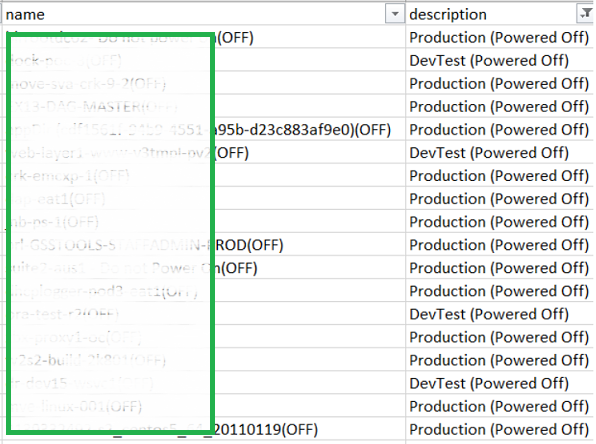
Well the problem was the CSV file created and maintained by the admins contained a (OFF) string name after the vmname.
Now if we initiate a search for the VMs with these names it would fail and return the VM was unavailable. i had to do a bit of PowerShell trickery to get this solved.
First, connect to the vcenter, get a list of all VMs in a variable ( now that is super fast as Get-VM has substantial speed improvements in PowerCLI 6.3 R1), next i imported the CSV file and compared both the names, the once that matched i kept in an array and ones that did not in another.
Once we have all the finalized names, we can remove all the VMs in one snap using
Remove-VM -DeletePermanently -Confirm:$false
So here goes the script, i hope it helps you out and gives you ideas for VM cleanups.
Connect-VIServer <vcenter_name> -Credential (Get-Credential)

# All vms in vcenter
$vms = Get-VM

# VM names supplied by the admin
$vmnames = Get-Content vmnames.txt


# Array of VMs to be deleted
$array = @()

# Array of VMs non existent
$array1 = @()


# Multiple for-loop to compare the names and append in both the arrays.

foreach ($vmname in $vmnames)

{

foreach ($vm in $vms)

{

if ($vm.name -match ($vmname -replace "(OFF)",""))

{


$array += "" | select @{l='CSV_VMName';e={$vmname}},@{l='VC_VMName';e={$vm.name}}

}

else

{

$array1 += Write-Host "$vmname does not exist in vcenter"

}


}


}

# Delete all the Stale VMs permanently
$array | % { Remove-VM $_.VC_VMName -DeletePermanently -Confirm:$false }
I hope you enjoyed this post and found the information useful.